Check a message
Check an email, text, screenshot, link, QR code or supported PDF. Look for warning signs before you act.
Go deeper with email forwardingA LITTLE CLARITY BEFORE YOU ACT
That unexpected email. That urgent text. TapClue helps you spot warning signs and know what to do next.
Coming soon on the App Store. Currently in private testing.
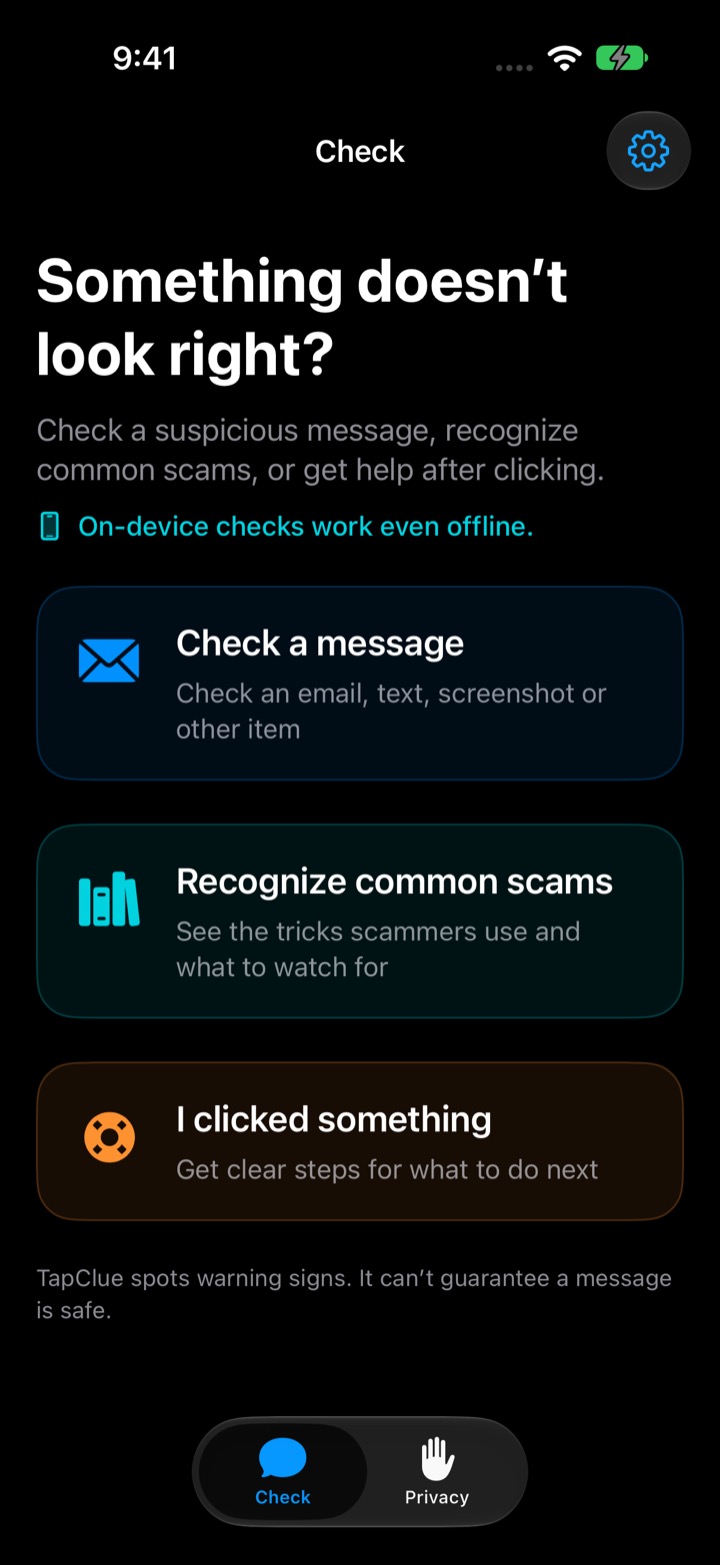
A delivery fee you weren’t expecting?
An account that “needs verification”?
START WITH WHAT YOU RECEIVED
No technical knowledge needed. Choose what you want to check.
Check an email, text, screenshot, link, QR code or supported PDF. Look for warning signs before you act.
Go deeper with email forwardingLearn the signs behind fake delivery notices, payment requests and account-verification messages.
Simple explanations, inside the appFind practical next steps based on what happened, whether you opened a link or shared sensitive information.
Guidance when you need it mostLOOK BEYOND THE BUTTON
A button can say “Verify my account” while hiding a different destination. Forwarding the original email gives TapClue more of the available evidence to check.
Use the same verified email address on your phone or your computer. Your report comes back to that inbox, usually within a minute. Delivery can take longer.
Your account needs verification
Please confirm your details to keep your account active.
a-different-website[.]exampleOpen the service’s known app or website yourself.
Example only. A different destination can also be a legitimate marketing or tracking link; it is a reason to check, not proof of fraud.
Verify one email address in TapClue.
Send the original to check@tapclue.app from that verified address.
See the warning signs and a clear suggestion for what to do next.
On your phone.
Even offline.
A QUICK CHECK, RIGHT ON YOUR PHONE
On-device checks are free and work offline. The content you check this way stays on your device.
Screenshots and printed emails can miss the sender and the links behind buttons. A low warning score does not confirm a message is safe. Forward the original when you need a deeper email check.
YOUR EMAIL. YOUR CHOICE.
TapClue cannot read your inbox. Only messages you choose to forward go to the checking service.
Read our privacy policySaved setup email addresses are encrypted on our server.
After our provider accepts the report for sending, we delete your forwarded email from the checking mailbox. Failed deletions are retried.
We never sell your email address or forwarded content.
Service records, encrypted recovery backups and mail-provider copies have separate retention. Encryption is at rest, not end-to-end. Details are in the privacy policy.
MEET TAPCLUE
See how a suspicious email becomes a clearer next step.
A short introduction with narration. Includes real app screens and illustrative examples.
COMING SOON FOR IPHONE
One-time packs. No subscription. No automatic recharge.
Free
Messages, screenshots, links, QR codes and supported PDFs.
Works offline. No forwarding needed.
3 free checks
Verify your email in the app and try the forwarding workflow.
Planned for the public launch.
No expiration. No automatic recharge.
Planned U.S. launch pricing, subject to change. Final prices will be shown in the app before purchase. TapClue is currently in private testing; public downloads and purchases are not available yet.
GOOD QUESTIONS
No. TapClue finds warning signs in the information available and suggests a next step. It cannot guarantee that a message is safe or genuine. Verify unexpected requests through an app, website or phone number you already trust.
Yes. Once you verify your email address in the iPhone app, you can forward messages from that same address using your phone or desktop email program. Reports return to the verified inbox.
A screenshot can show a button’s words without its actual destination. Forwarding the original can preserve those hidden links. It may still omit or alter original headers, so it does not authenticate the original sender.
The hosted checker does not visit message links, follow redirects or run attachments. It examines the available readable content and supplied link destinations. On-device PDF checking covers supported files; it is not an antivirus scan.
Only if you choose hosted email forwarding. On-device checks do not require email setup. You can remove email checking in the app. Our privacy policy explains deletion and the minimal records retained for service operation and purchase recovery.
Check that you forwarded from your verified email address, allow a little time, and check Spam or Junk. Your email provider may block a dangerous message before it reaches TapClue. Do not disable its protection or open a suspicious attachment to get around a block.
TapClue is currently in private testing. We’ll put the App Store download link on this page when it is available. There’s no waiting-list form and no email address to hand over here.

TapClue. A clearer next step.
Coming soon on the App Store